Phase 3: OpenCTI Knowledge Graph
The procedure dataset and source register go into a self-hosted OpenCTI 6.2 instance. This creates the analytical record — queryable, relationship-aware, ATT&CK-linked.
OpenCTI Deployment
The stack used in this project is documented and publicly reproducible. The full deployment — Docker Compose, connectors, and an AI enrichment connector that calls Claude via the Anthropic API — lives in a dedicated project:
- GitHub: github.com/anpa1200/opencti-intelligent-shield
- Docusaurus site: anpa1200.github.io/opencti-intelligent-shield
- Main guide: anpa1200.github.io/opencti-intelligent-shield/docs/intelligent-shield
The Intelligent Shield project covers: OpenCTI core stack (Redis, Elasticsearch, MinIO, RabbitMQ, platform, workers), MITRE ATT&CK connector, and a custom internal enrichment connector that uses Claude to automatically summarize and enrich threat objects. Docker Compose files, a sanitized .env.example, and full setup instructions are all version-controlled.
To spin up the stack standalone (outside Operation Desert Hydra):
git clone https://github.com/anpa1200/opencti-intelligent-shield.git openCTI
cd openCTI
cp .env.example .env
# fill in tokens and passwords
./scripts/start-all.sh   # OpenCTI at :8080
./scripts/stop-all.sh    # halt, preserves volumes
In the context of Operation Desert Hydra the stack is embedded in stack/ and started with bash start.sh — no separate clone needed. The Intelligent Shield project is the standalone reference deployment for anyone who wants OpenCTI without the lab.
Step 10: Stack Start
bash start.sh --skip-lab # starts OpenCTI + Elasticsearch + Kibana only
All 12 core containers start: Redis, Elasticsearch, MinIO, RabbitMQ, OpenCTI platform, 3 workers, and the MITRE ATT&CK connector.
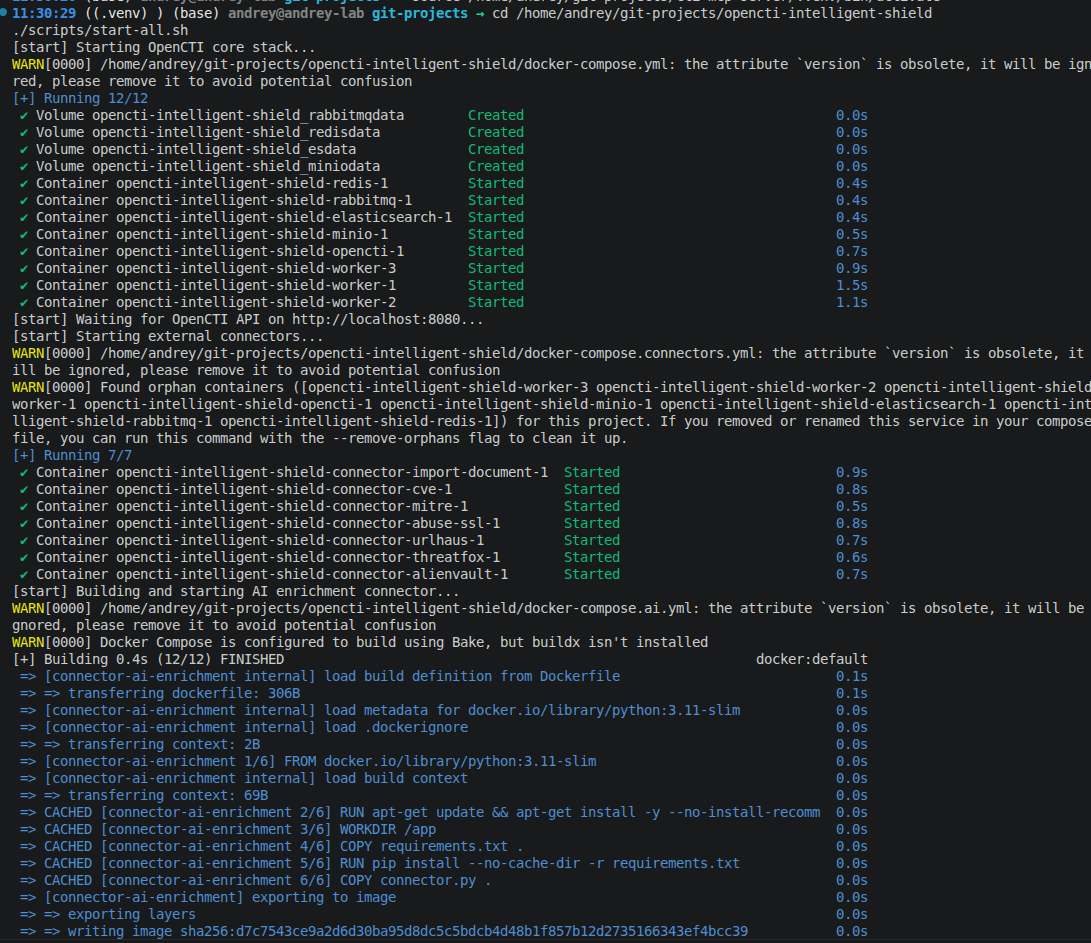
Result: OpenCTI reachable at http://localhost:8080. All containers healthy.
Step 11: MITRE ATT&CK Connector Sync
The MITRE ATT&CK connector loads 846 techniques into the graph. This sync must complete before the import script can link procedures to techniques.
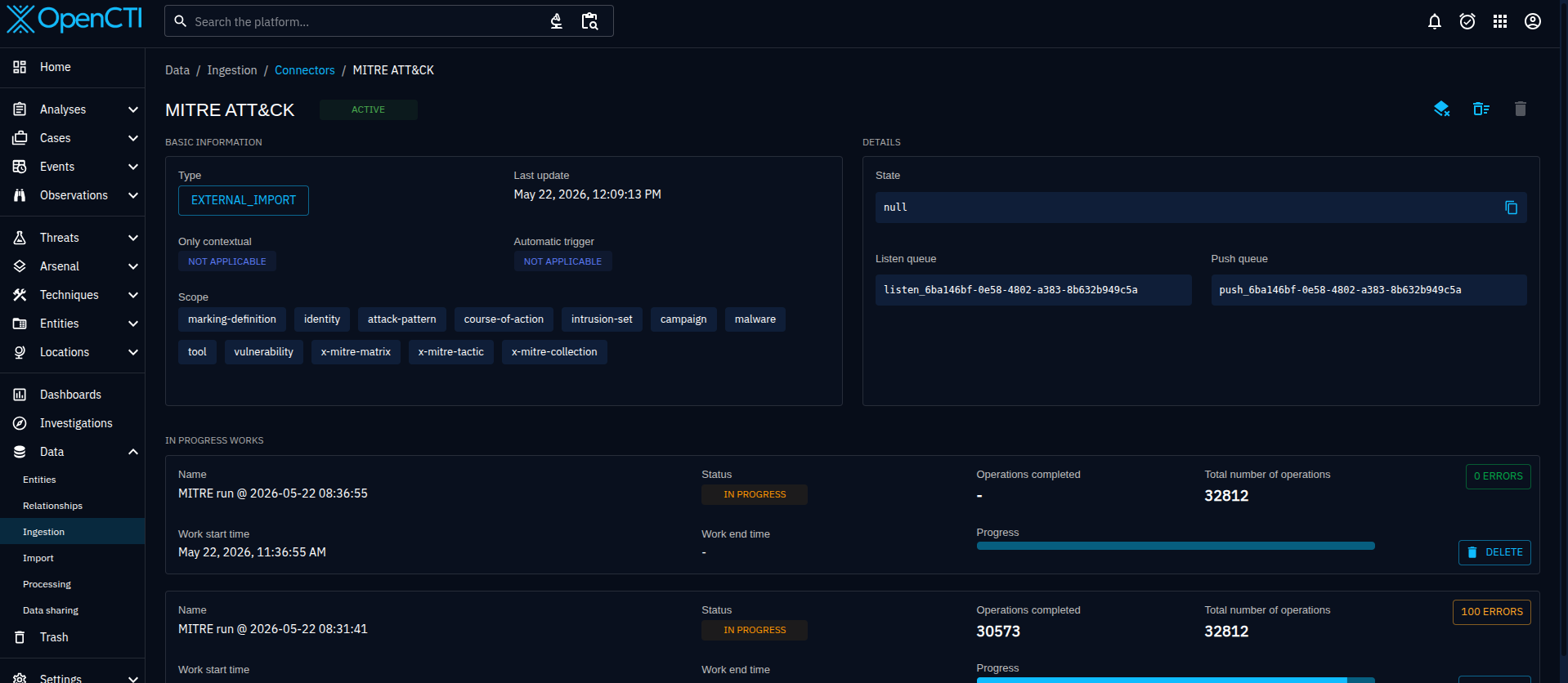
Result: 846 ATT&CK patterns loaded. Connector state: ACTIVE.
Step 12: Import Script
Script: tools/opencti_import.py
export OPENCTI_URL=http://localhost:8080
export OPENCTI_TOKEN=<admin token from stack/.env>
python3 tools/opencti_import.py
The script reads data/sources.yaml and data/procedures.yaml — it does not hardcode any intelligence. The YAML files are the single source of truth; the script is just a translation layer from those files into OpenCTI's API.
What it creates and why:
Step 1 — Iran MOIS (Identity: Organization). Every object in OpenCTI needs a createdBy reference. Creating the sponsoring organization first gives all downstream objects a consistent authoring context and makes the attribution relationship explicit in the graph: MuddyWater → attributed-to → Iran MOIS.
Step 2 — MuddyWater (Intrusion Set). The intrusion set object carries all known aliases: Seedworm, Mango Sandstorm, TA450, Static Kitten, TEMP.Zagros, Mercury, DEV-1084. Aliases matter for deduplication — OpenCTI uses them to avoid creating duplicate entities when the same actor appears under different names in different reports.
Step 3 — Malware catalog (9 objects). Each actor-developed tool gets a Malware object with a description derived from source reporting. The catalog: POWERSTATS, PowGoop, Small Sieve, Canopy, Mori, BugSleep, AnchorRAT, SyncroRAT, DarkBit.
Step 4 — Tool catalog (4 objects). Legitimate tools abused by the actor are STIX Tool objects, not Malware — the distinction matters for downstream analysis. The catalog: AteraAgent, SimpleHelp, Mimikatz, LaZagne.
Step 5 — uses relationships. MuddyWater → uses → each malware and tool object. These relationships make the graph queryable: "which tools does this actor use?" returns all 13 objects in one hop.
Step 6 — Reports from sources.yaml. One Report object per promoted source, with publisher, reliability rating, credibility score, actor claims, key entities, and ATT&CK candidates written into the description. MuddyWater is added as an object reference so each report is queryable from the actor page.
Step 7 — ATT&CK pattern links from procedures.yaml. Iterates all attck_candidates across the 10 procedure records and creates MuddyWater → uses → ATT&CK technique relationships. If the MITRE connector has not yet synced a technique, the script creates a stub Attack Pattern object (with x_mitre_id set) and flags it for enrichment. This prevents the import from failing on a timing issue between the connector sync and the import run.
The script is idempotent: every object lookup uses a read() before create(). Re-running after a partial failure or after the MITRE connector syncs simply confirms existing objects and fills in any gaps.
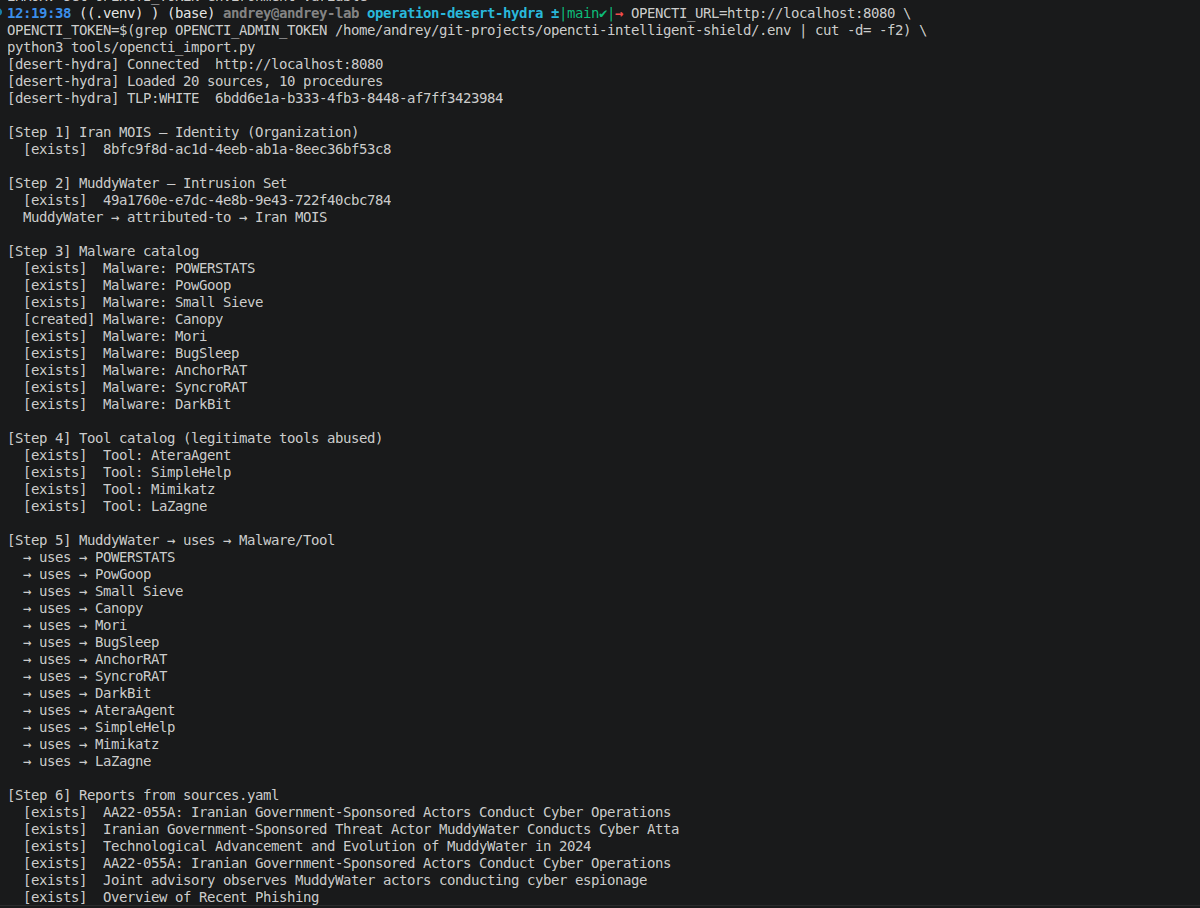
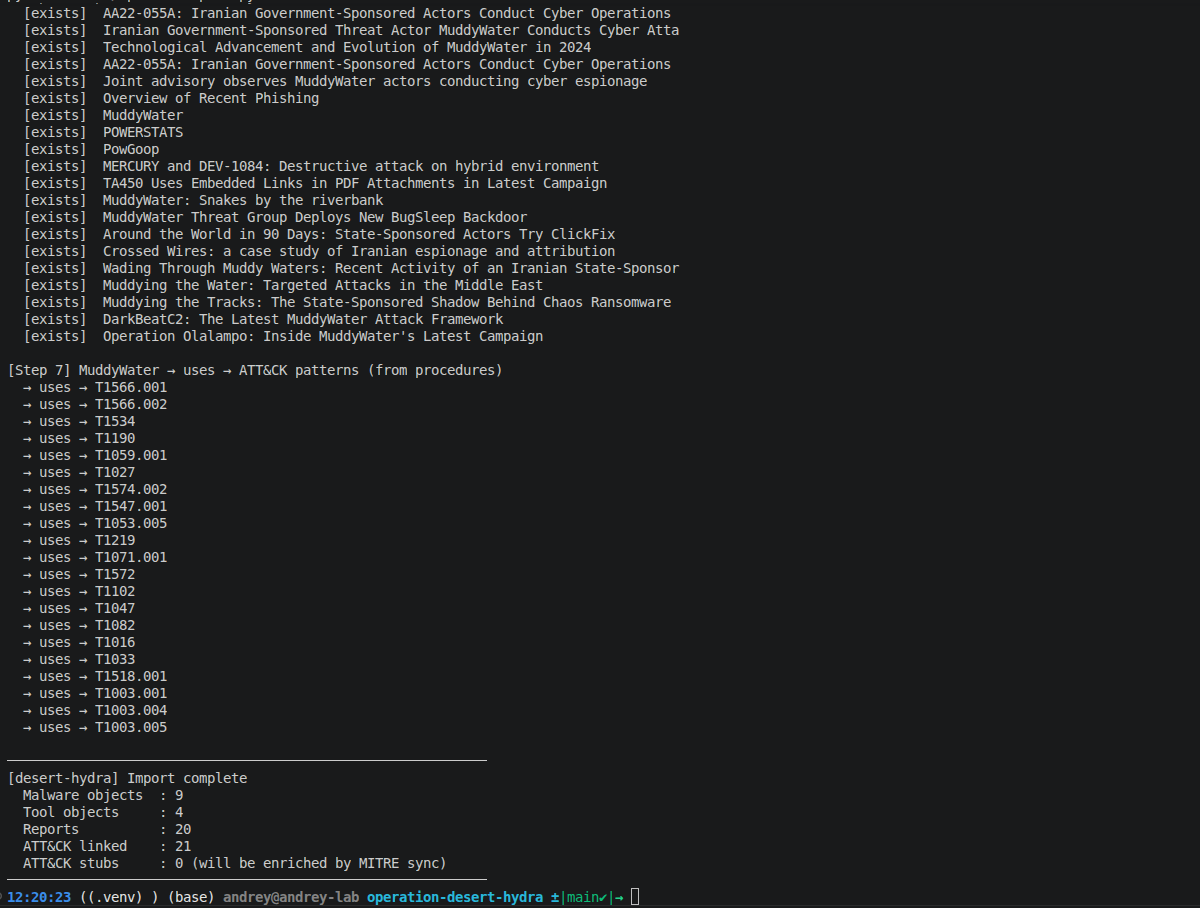
Result: All objects created. Re-run confirms idempotency (no duplicates).
Step 13: Intrusion Set Verification
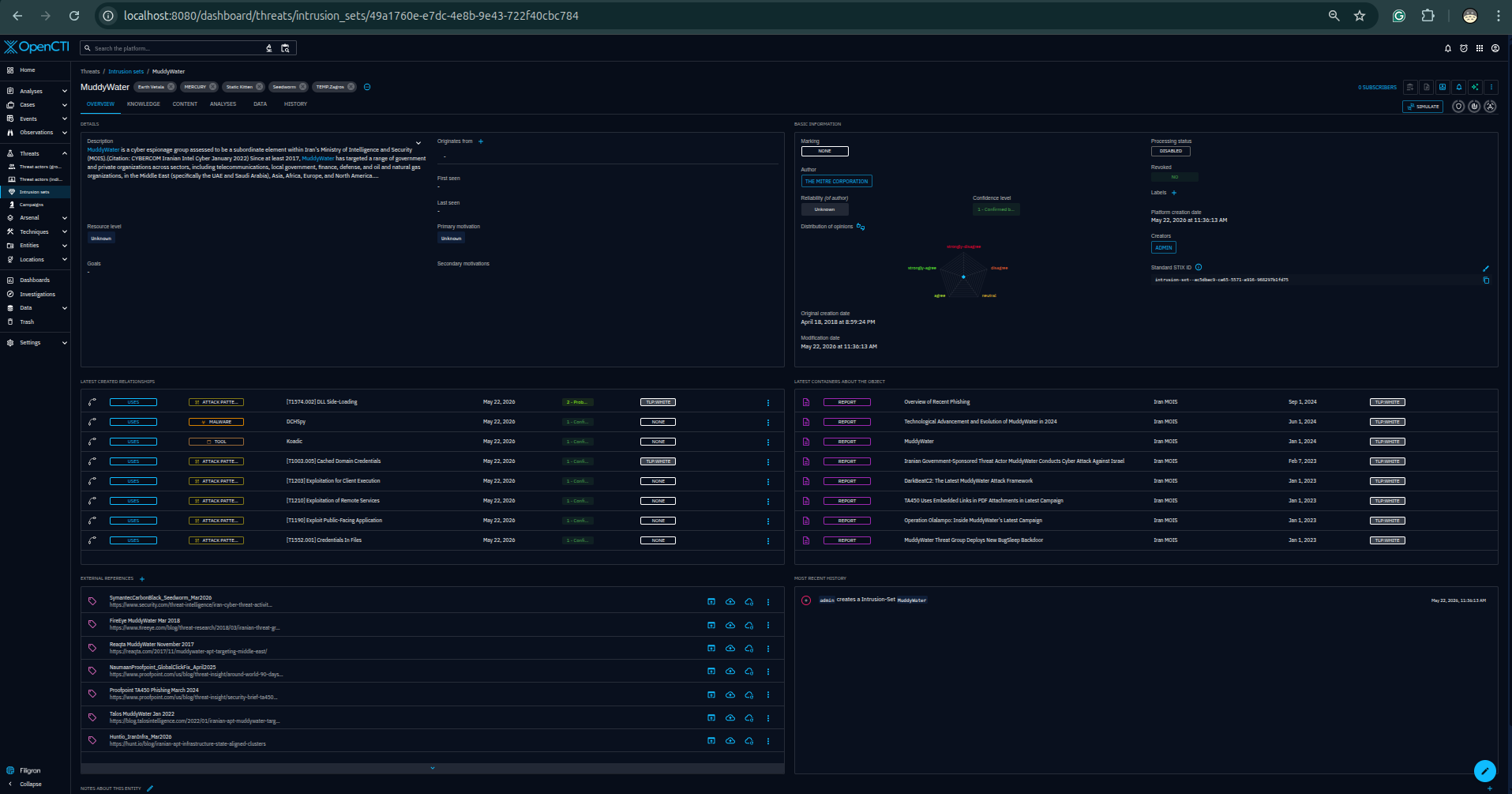
Result: MuddyWater entity with all aliases, Iran MOIS attribution relationship, campaign links, and malware/tool associations confirmed in OpenCTI.
Step 14: Knowledge Graph
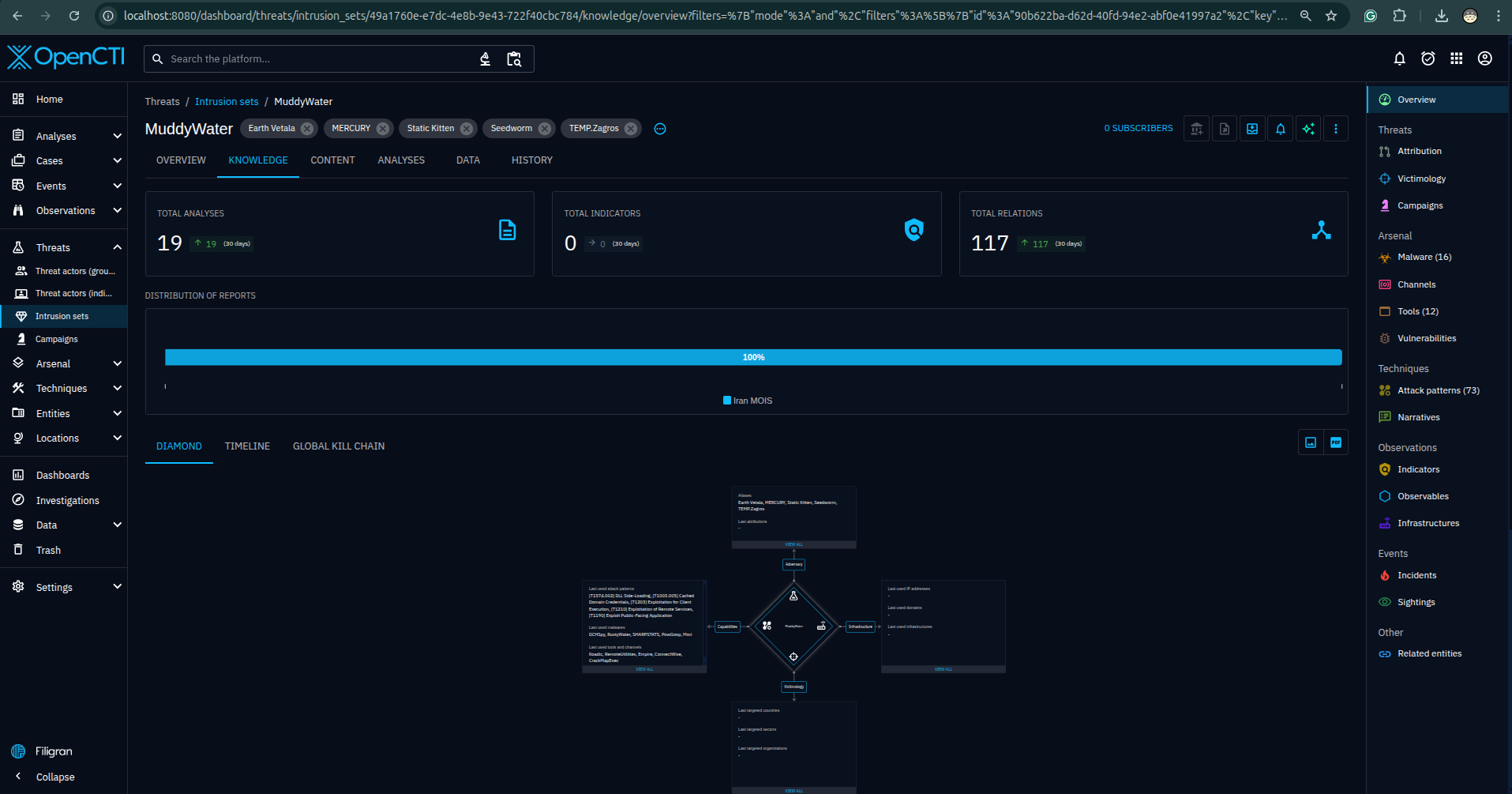
Result: Graph shows MuddyWater → 9 malware, 4 tools, 3 campaigns, 21 ATT&CK techniques — all with source-annotated relationship edges.
Step 15: ATT&CK Matrix Coverage
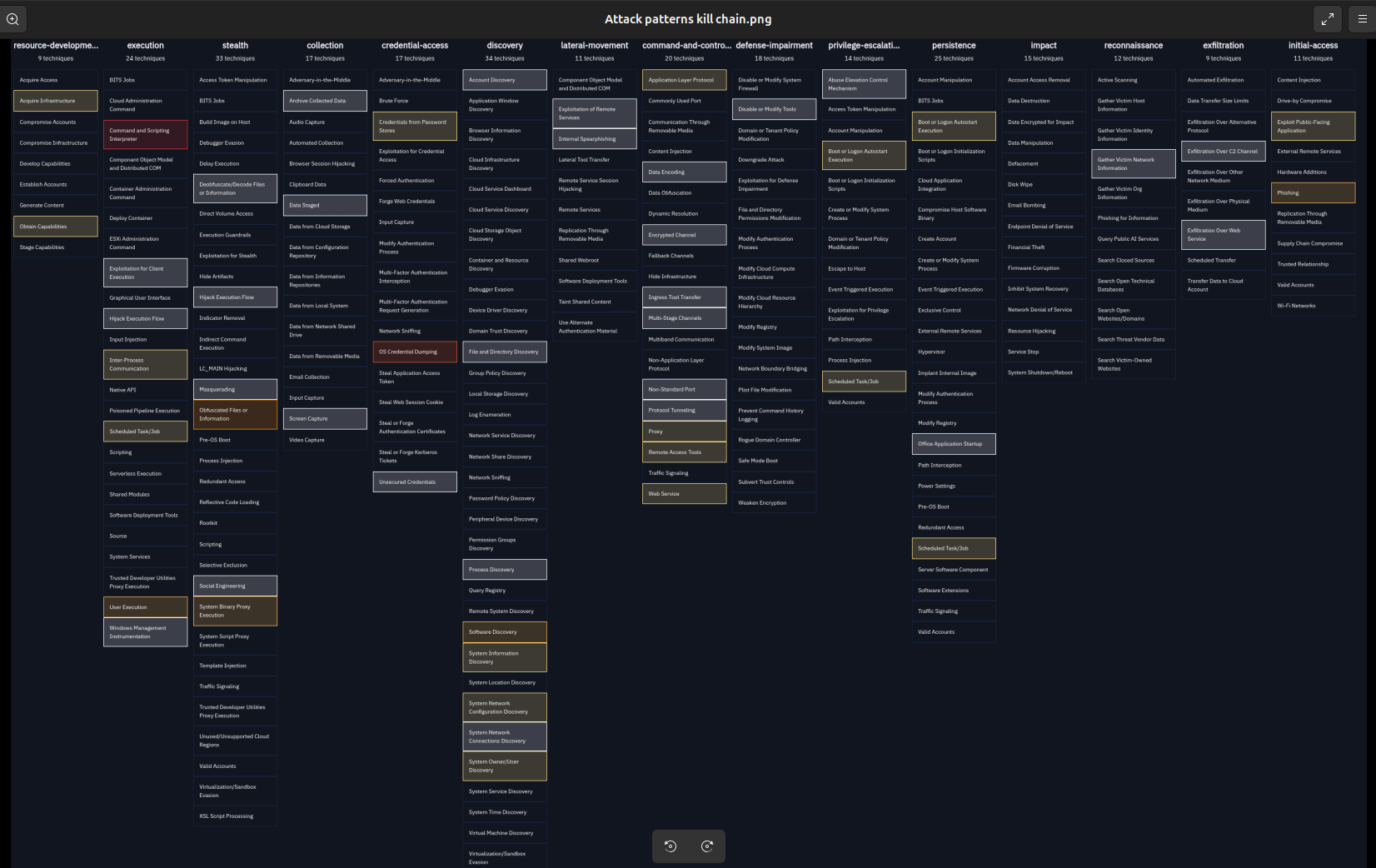
Result: 21 techniques highlighted across 8 tactics in the ATT&CK Enterprise matrix.
Step 16: BugSleep Malware Detail
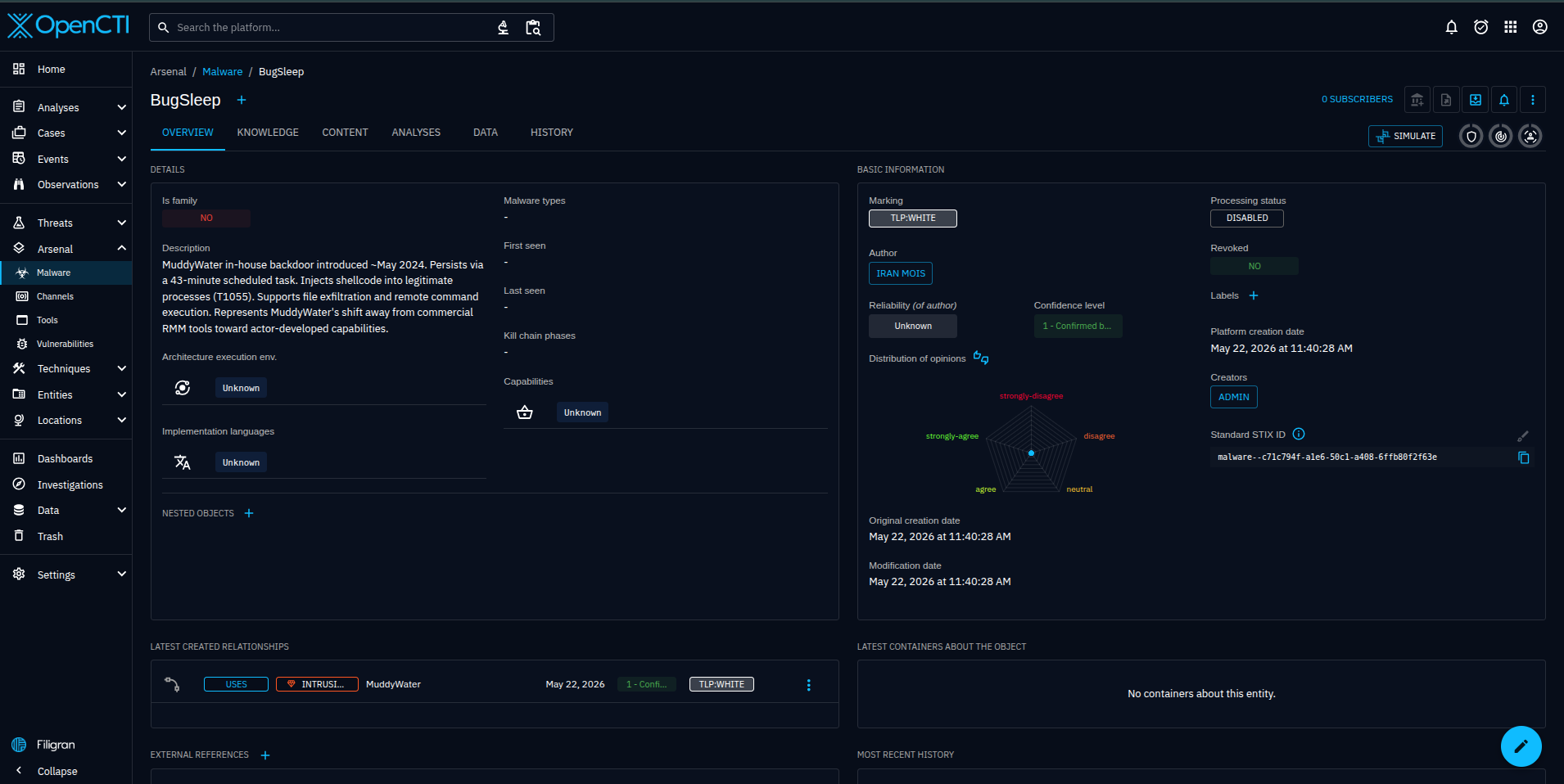
Result: BugSleep malware object with INCD 2024 source annotation, T1053.005 relationship (43-minute task), and C2 technique links confirmed.
Step 17: Reports List
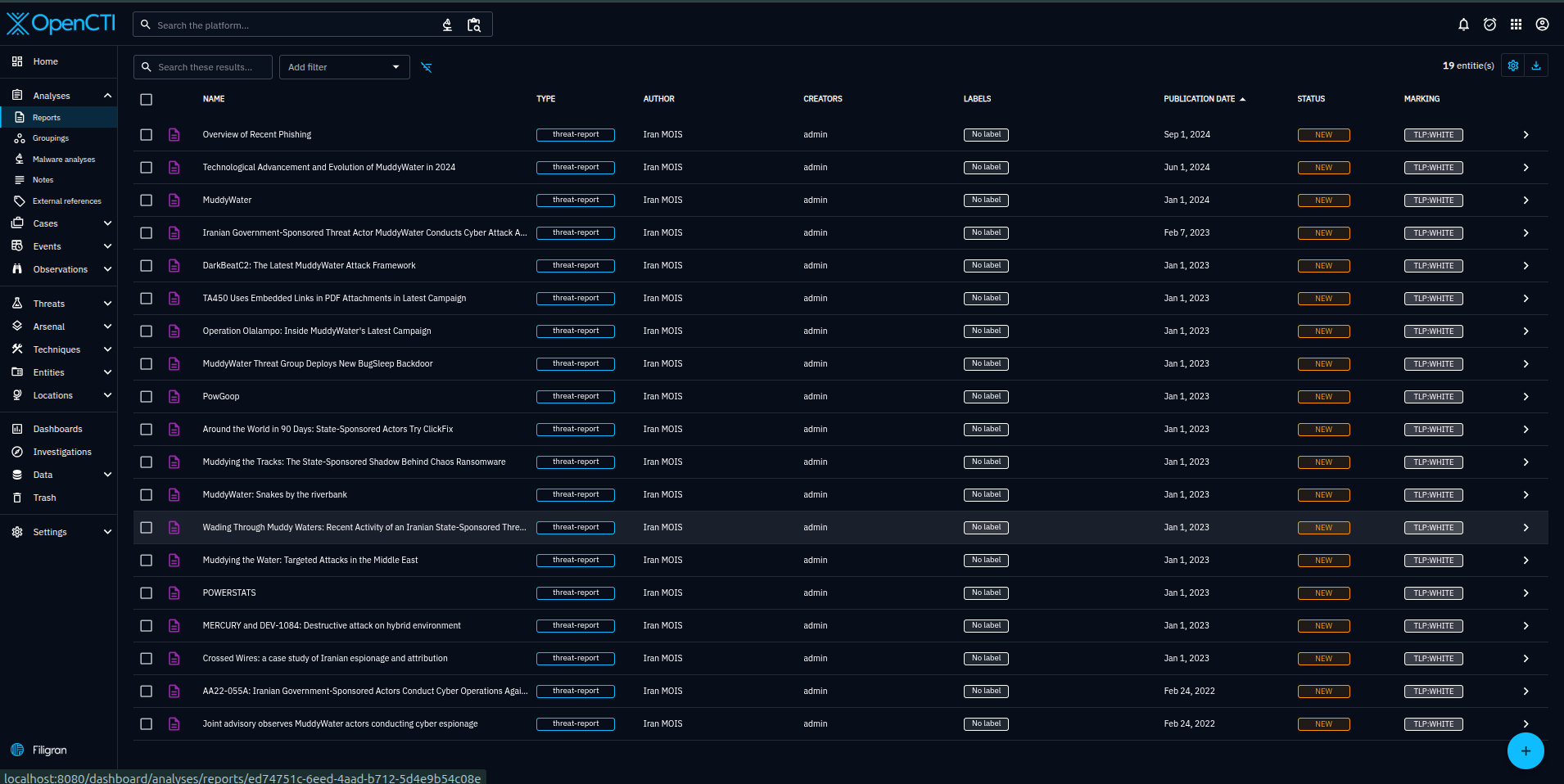
Result: 20 report objects, one per promoted source. Each report links to the procedures and techniques it evidences.
Step 19: OpenCTI Dashboard
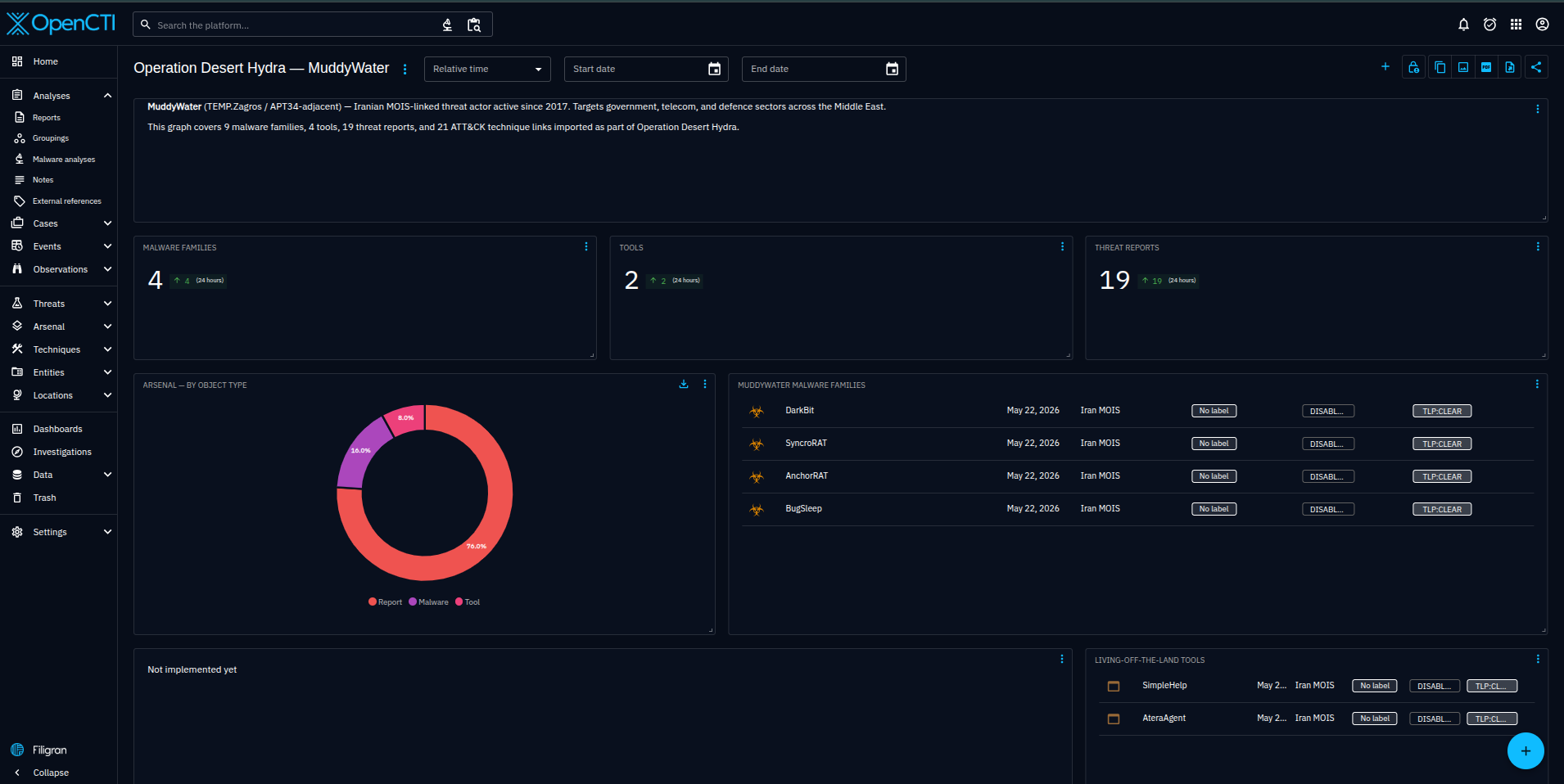
Result: Custom dashboard showing technique frequency heatmap by source tier — highest-corroborated techniques visible at a glance.